 Otto
Client Deliverables Tracker: Fields, Setup and Weekly Routine
Client Deliverables Tracker: Fields, Setup and Weekly Routine

A client deliverables tracker is a single list of everything you have promised a client: each item with an owner, a due date, a status and a record of when it actually went out. It works only if every promise lands in it, including the ones made on a call or in a reply at 11 p.m. The hard part is rarely the spreadsheet. It is getting commitments out of email threads and meetings and into the list before they slip. Below is the structure, the setup, the weekly routine, and how we at Otto handle the capture problem.
TL;DR
- Track one row per deliverable, not per project: client, project, owner, due date, status, approval and a link to the file.
- Use status stages that match real delivery steps, such as Internal Review and Client Review, so bottlenecks show up at a glance.
- Change a row the day it changes, review weekly, and chase everything marked “awaiting client” on a fixed day.
- Most missed deliverables are promises made in meetings and email that never reached the list. Fix capture first.
- Otto captures promises from meetings, email and calendar into one ledger and drafts the follow-ups for your approval.
Table of Contents
- What a client deliverables tracker is, and what it fixes
- What to put in each row
- Set it up for several clients and projects
- Capture commitments before they slip
- A weekly routine that keeps the tracker honest
- Spreadsheet, board or a dedicated tool?
- Keep it reliable when work lives in many apps
- How Otto handles the deliverables tracker
- A worked example: one consultant, three clients
- Common mistakes to avoid
- FAQ
- Sources
What a client deliverables tracker is, and what it fixes
A task list holds what you plan to do. A deliverables tracker holds what the client was told they would receive. The difference matters because the two drift apart. You finish the report internally, mark the task done, and the client never gets it, or gets it but never signs off. From the client’s side, the work does not exist yet.
The tracker closes that gap by treating each promised output as its own record with its own life: promised, in progress, in review, delivered, approved. It also gives you a fast answer to the question every client eventually asks: where are we? Without it, you dig through inboxes, chat threads and half-finished spreadsheets to reconstruct the answer, and the client can tell.
Three problems show up again and again for consultants, agencies and freelancers:
- Invisible status. Work is done but not delivered, or delivered but not approved. Nobody can see which.
- Promises that never became rows. A founder says “I’ll send you the revised pricing by Friday” at the end of a call. Nobody writes it down. It exists only in two people’s memory.
- Silent waiting. You are blocked on client feedback, the deadline moves, and nobody remembers the dependency was theirs.
A good tracker handles all three. The first and third are structure problems. The second is a capture problem, and it is the one most templates ignore.
What to put in each row
Keep the row small enough that you will actually fill it in, and complete enough that someone else could pick it up. These fields cover almost every client engagement:
| Field | What goes in it | Why it earns its place |
|---|---|---|
| Deliverable | A specific description, such as “Q4 channel audit, PDF, 12 pages” | “Report” is not a deliverable. A named output with a format is. |
| Client and project | Both, as separate fields | Lets you group and filter across accounts. |
| Owner | One person | Two owners means no owner. |
| Due date | The date promised to the client | Track the promised date, not your internal target. |
| Type | Report, design, copy, build, meeting, decision | Shows what kind of work is piling up. |
| Status | A stage from your workflow (see below) | The core of the tracker. |
| Priority | High, normal, low | Helps when two deadlines collide. |
| Revision round | 0, 1, 2 | Makes scope creep visible early. |
| Approval | Who approved it, and when | Protects you if a dispute comes later. |
| File link | The exact file or version delivered | Removes “which version did you mean?” |
| Source | Where the promise was made: call, email, proposal | Lets you trace a commitment back to its origin. |
| Delivered on | The date it actually went out | Separates “done” from “sent”. |
If your work is governed by a contract or statement of work, add acceptance criteria and a reference to the governing document. For anything that requires sign-off, record who accepted it and when. That record is what makes a late payment conversation short.
Two fields do the most quiet work: Source and Delivered on. The first catches promises that came in through side channels. The second stops you from calling something finished when it only sat in your drafts folder.
Set it up for several clients and projects
With one client, any list works. With six, structure decides whether the tracker survives the first busy month.
One record per deliverable
Resist the urge to make one row for “Website redesign”. Make a row for the homepage design, another for the copy deck, another for the staging link. Each can then have its own owner, due date and approval. A project is a group of deliverables, not a deliverable itself.
Group by client, then project
Use client as the top-level grouping and project underneath. Then build two saved views you will use daily:
- Due this week, across all clients, sorted by date.
- Awaiting client, across all clients, sorted by how long the item has been waiting.
The second view is the one most people skip, and it is the one that recovers the most time. Everything in it is a deliverable you cannot move forward without the client.
Name stages after real delivery steps
Generic statuses like “In progress” hide the thing you most need to see: who is holding the item. Use stages that match what actually happens:
- Not started
- In progress
- Internal review
- Client review
- Changes requested
- Approved
- Delivered and closed
With these, a glance at the board tells you whether the bottleneck is your team, your reviewer or the client. If five items sit in Client Review, the problem is not your production speed.
Attach approval to a specific version
When a client says “looks good”, they approved a specific file at a specific moment. Record the version or link they approved. If they request changes after sign-off, treat that as a new revision with its own date and scope decision, not a quiet edit to the old row. This habit keeps revision rounds honest and gives you a clean answer when someone remembers the deal differently.
Be careful what the client sees
If you share the tracker or a view of it, show only what the client needs: what is being worked on, where each piece stands, what is waiting on them, and what was finished recently. Keep internal priorities, other clients, rough notes, and anything about cost and margin in your private version. Many people maintain one internal tracker and share a filtered view.
Capture commitments before they slip
Here is the honest weak point of every deliverables tracker: it can only hold what someone typed into it. Most of the commitments that cause trouble were never typed anywhere.
Think about where promises are made:
- At the end of a video call: “I’ll get you that by Thursday.”
- In a reply: “Sure, can you also include the competitor comparison? I’ll add it.”
- In a Slack message from a teammate who agreed to something on your behalf.
- In a calendar invite description nobody reads twice.
Every one of these is a deliverable. None of them is in your tracker. This is what we call being the integration layer: you hold the connections between your inbox, your calendar and your meetings in your head, and you copy context between tools by hand.
A few manual habits help. Capture action items live during a meeting, not from memory afterward. Name one person to hold the capture. In the last two minutes, read the action items back and confirm the owner, the deadline and the description. After the call, send a short written recap so the commitments exist in writing on both sides. Our guides on post-meeting follow-ups and on tracking work promises walk through templates for this.
These habits work, but they depend on discipline at exactly the moment you are most tired: right after a back-to-back stretch of calls. That is why capture is the step worth automating.
A weekly routine that keeps the tracker honest
A tracker is a habit, not a document. This rhythm keeps it current without becoming a second job.

Daily, in two minutes. Change a row the day it changes. If you delivered something, set Delivered on. If a client replied with feedback, move the status. Stale rows are worse than no rows, because they look trustworthy.
Weekly, in 30 minutes. Review the whole board. Check what is due next week, what is overdue, what is stuck in one stage, and what has a revision round creeping above two. Our weekly review process lays out a 30-minute version you can adapt.
Midweek, on a fixed day. Run the Awaiting client view and chase what is outstanding. A fixed day removes the decision of whether to nudge, and clients learn the rhythm. For the follow-up emails themselves, a plan for tracking waiting-on emails takes about half an hour to set up.
Weekly, to the client. Send a short written update pointing at the tracker: what finished, what is next, and what you need from them and by when. Keep progress updates separate from approval requests. If you combine them, the request gets lost under the news.
One more discipline: mark an item Complete only when the details are recorded, checked and accepted by the owner, not simply when the work is finished. “Done” is your view. “Accepted” is the client’s.
If an overdue deliverable turns into an overdue invoice, the same logic applies to money: a fixed cadence, a clear message and a record of what was agreed. Some guidance on getting paid faster covers invoice chasing in a UK small business setting, and the follow-up rhythm carries over to any market. Our own note on freelance client reminders gives plug-and-play wording.
Spreadsheet, board or a dedicated tool?
The format matters less than the habits above, but it helps to match the format to the volume.
| Setup | Fits when | Where it strains |
|---|---|---|
| Spreadsheet | One to three clients, a few dozen deliverables | Gets messy with many views, reminders and shared access |
| Kanban board | Stage-based work with a team | Hard to see due dates across clients |
| Project management tool | Larger teams with dependencies | Heavy for a solo professional; a project management tool comparison shows how much the options differ in fields and structure |
| Commitment-led assistant | Work scattered across email, calendar and meetings | Needs access to those sources to do its job |
Whatever you choose, the test is the same: can you answer “what do I owe whom, and by when?” in under a minute, without opening your inbox?
Keep it reliable when work lives in many apps
The usual failure is not a bad template. It is the split between where promises are made and where the tracker lives. Your inbox is in one app, meetings in another, tasks in a third, and the tracker in a fourth. Each is accurate for its own slice and blind to the rest.
To keep a tracker reliable across that spread:
- Pick one place that is the truth. Everything either lives there or is linked from it.
- Record the source of every promise. If you cannot trace a row to a call or email, you cannot defend it.
- Capture at the moment of the promise. Delay turns precise wording into vague memory.
- Run the same review every week. Reliability comes from repetition.
- Reduce the copying. Every manual transfer between tools is a chance to drop something. The fewer hand-offs, the fewer losses.
The fifth point is where software can take the job off you.
Our view: the tracker should not depend on your memory
We built Otto because we kept seeing the same pattern: smart tools, each blind outside its own box. A notetaker has your meetings but has never seen your inbox. An email assistant has your inbox but does not know what you promised out loud. So the person becomes the glue, copying context between apps all day.
A deliverables tracker is the clearest example of the problem. The list itself is easy. Keeping it complete is the work. That is why Otto runs on one shared memory of your work: it listens in meetings, reads email and calendar, and captures every promise made in any of them into a single ledger that it chases until it is closed.
We also think approval matters more than speed. Nothing is sent or finalized without your explicit approval. Otto drafts, you decide. For client work, where tone and accuracy carry your reputation, that is the right division of labor.
The result we want is a simple morning: you open one place and see what you owe, to whom, and what to focus on today.
Eddie
How Otto handles the deliverables tracker
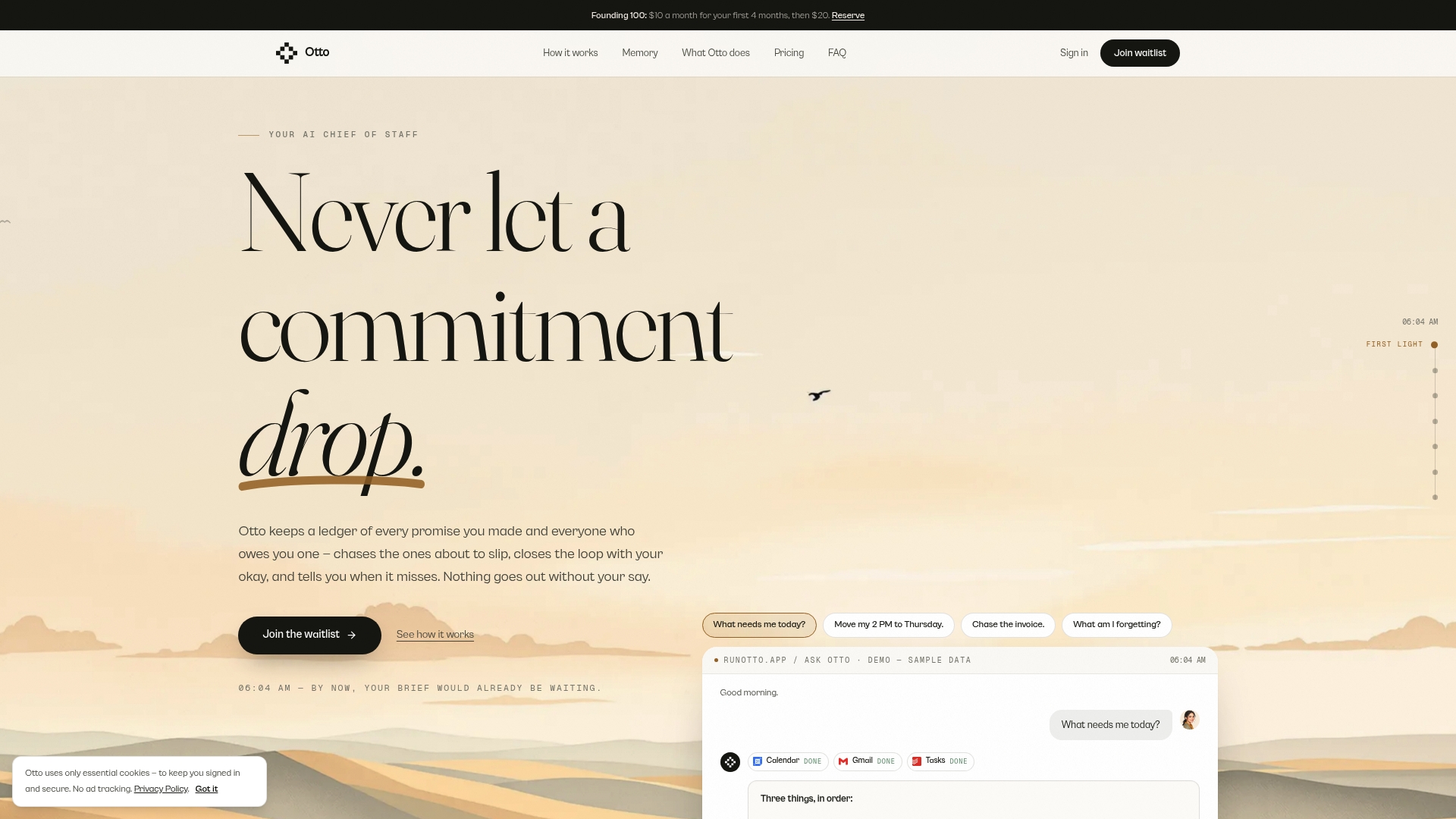
If you want the ledger without maintaining it by hand, Otto is built for this. It captures promises from your meetings, email and calendar into one list, keeps chasing each until it is closed, and drafts follow-ups and reminders for you to approve before anything goes out. It connects with over 130 tools, including Gmail, Google Calendar, Slack, Notion, GitHub and Todoist, so the tracker sits on top of the apps you already use.
Plans are published on the Otto site: Free at $0 per month, Upgraded at $20 per month, and Max at $50 per month. Upgrading raises usage limits and adds integrations and advanced features. If you already use a notetaker but still lose the follow-ups, this is the gap Otto fills. For the approval side of client communication, see our guide to the email approval workflow.
A worked example: one consultant, three clients
Suppose you run a small consultancy with three active clients. Client A is waiting on a market-sizing memo. Client B needs a workshop deck and a follow-up summary. Client C asked, on a call, for a revised proposal with two pricing options.
In a well-kept tracker, that becomes five rows, each with an owner (you), a promised date, a type and a status. The memo is in Client Review, so it appears in your Awaiting client view. The deck is in Internal Review with a due date on Thursday. The workshop summary is Not started, with its source recorded as “workshop call”. The proposal for Client C is In progress, with revision round 0.
On Wednesday you open Awaiting client and see the memo has been with Client A for six days. You send a short nudge naming what you need and by when. On Friday you send each client a brief update: finished, next, needed from you. At the weekly review you notice Client B’s deck is on revision round three, which is a signal to have a scope conversation.
None of this is complicated. What makes it work is that the proposal for Client C exists as a row at all. It was promised aloud, once, at the end of a call. In a manual system, it exists only if you remember to write it down. With a capture layer running across your meetings and inbox, the row is there before you close the call.
Common mistakes to avoid
- Tracking projects instead of deliverables. A project row cannot be late. A deliverable can.
- Using the internal due date. Track what you told the client. Keep your buffer in a separate field if you need one.
- Leaving status vague. “Waiting” without saying on whom is not a status.
- Skipping the approval record. The first dispute will cost more time than the habit ever did.
- Letting the tracker go stale. A tracker you update weekly is a report. A tracker you update the day things change is a tool.
- Mixing progress with requests. Send updates and approval requests separately so each gets read.
FAQ
What should a client deliverables tracker include?
At minimum: a specific description, client, project, owner, due date, status and a link to the file. Add type, priority, revision round, approval details and the source of the promise as your volume grows. The approval and delivered-on fields protect you most when a client later disagrees about what was agreed.
How often should I update it?
Change a row the day it changes, review the full board weekly, and send the client a short written update each week. Pick one fixed day to chase everything marked as awaiting the client, so nudging becomes routine instead of a judgment call.
How is a deliverables tracker different from a task list?
A task list holds the steps you take. A deliverables tracker holds the outputs you promised a client, along with whether they were sent and accepted. One deliverable can contain many tasks, but the client only cares about the output and its status.
How do I capture promises made in meetings and email?
Capture them live, read them back at the end of the call to confirm owner and deadline, and send a written recap. To avoid doing this by hand, Otto listens in meetings and reads email and calendar, adds each promise to a single ledger, and drafts the follow-up for your approval.
Can one tracker cover several clients?
Yes. Keep one record per deliverable, group by client and then project, and build saved views for items due this week and items awaiting the client. Share the client a filtered view that excludes other accounts, internal notes and margin.